
The Look You Want on Your Photos in One Click
Filter apps lock the best looks behind a paywall, and big preset packs often don't fit your photos or won't install on your phone. Ultimate Lightroom Presets gives you 120 presets for Lightroom, sorted by the light you shoot in, with a step-by-step mobile install guide.
- Sorted by the light you shoot in
- .xmp and .dng files for desktop and mobile
- Step-by-step install guide for your phone
- One payment, no subscription
Instant download • Lightroom desktop & mobile • One-time payment

 BeforeAfter
Works wherever you edit your photos
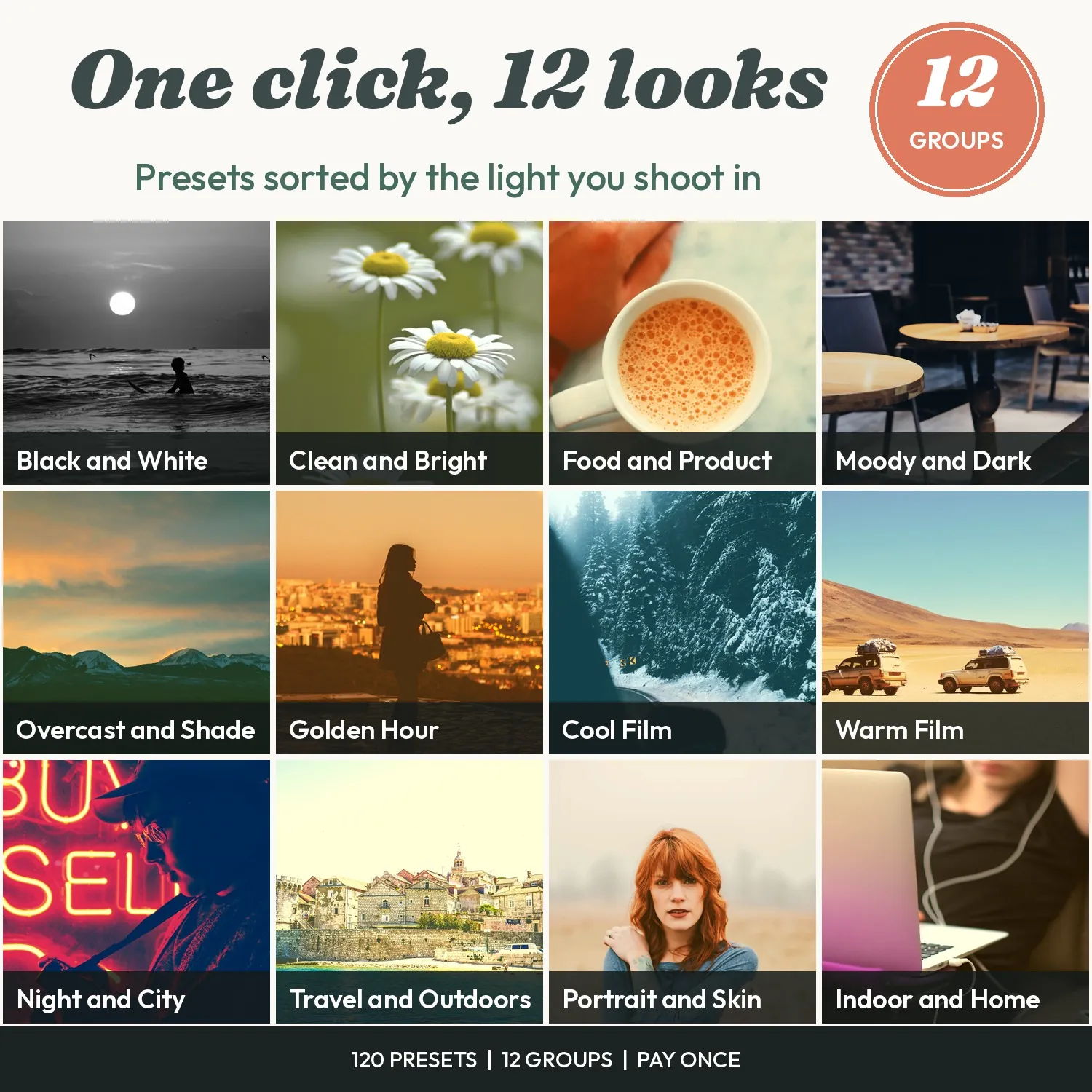
120 Presets. 12 Groups. One Download.
A before and after for each kind of light you shoot in, sorted and ready to use today.
Why These Work When Other Presets Didn't
Most presets are made for one perfect photo. These are sorted by light and tested on 5 photo types, so they fit the photos you really take.
Sorted by the Light You Shoot In
Golden hour, overcast, indoor, night. Pick the group that matches your photo, so the look fits before you touch a slider.
The Look in One Click
Tap a preset and the colour, tone and contrast are done. Spend your time on the next photo, not on 20 sliders.
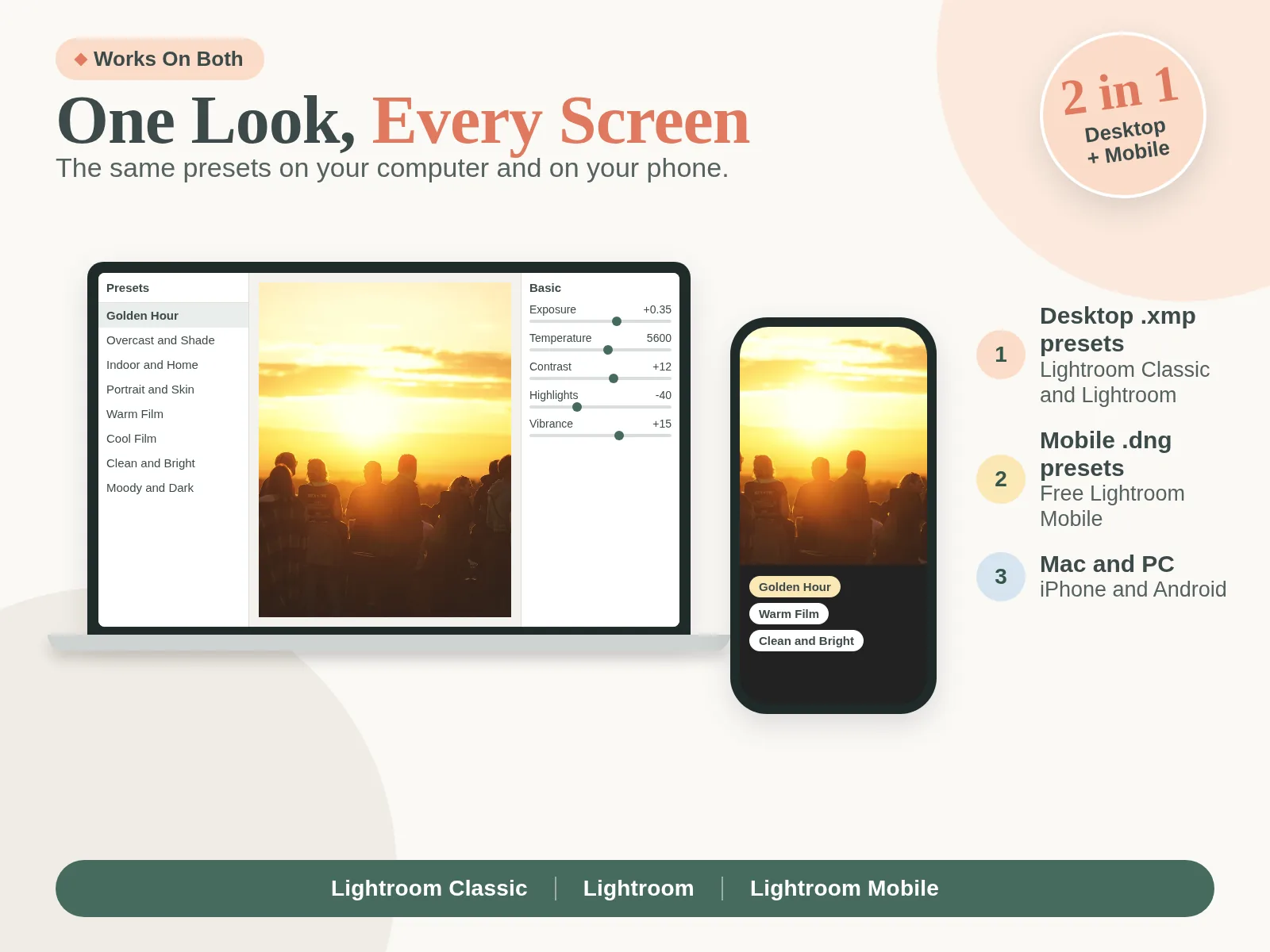
Desktop and Mobile, Both Included
Every preset comes as .xmp for Lightroom Classic and Lightroom desktop, and as .dng for the Lightroom Mobile app on iPhone and Android.
Film and Specific Looks
Warm film, cool film, moody, clean, black and white. Each look has a clear name, so you find the one you want fast.
Easy for Beginners
A Start Here set of 12 all-rounders, plus step-by-step install guides with screenshots. No editing skills needed.
Pay Once, Keep Them
One payment, no subscription, no locked looks. Apply the same group across your posts for a cohesive feed.
Desktop, Mobile and 3 Guides. All Listed.
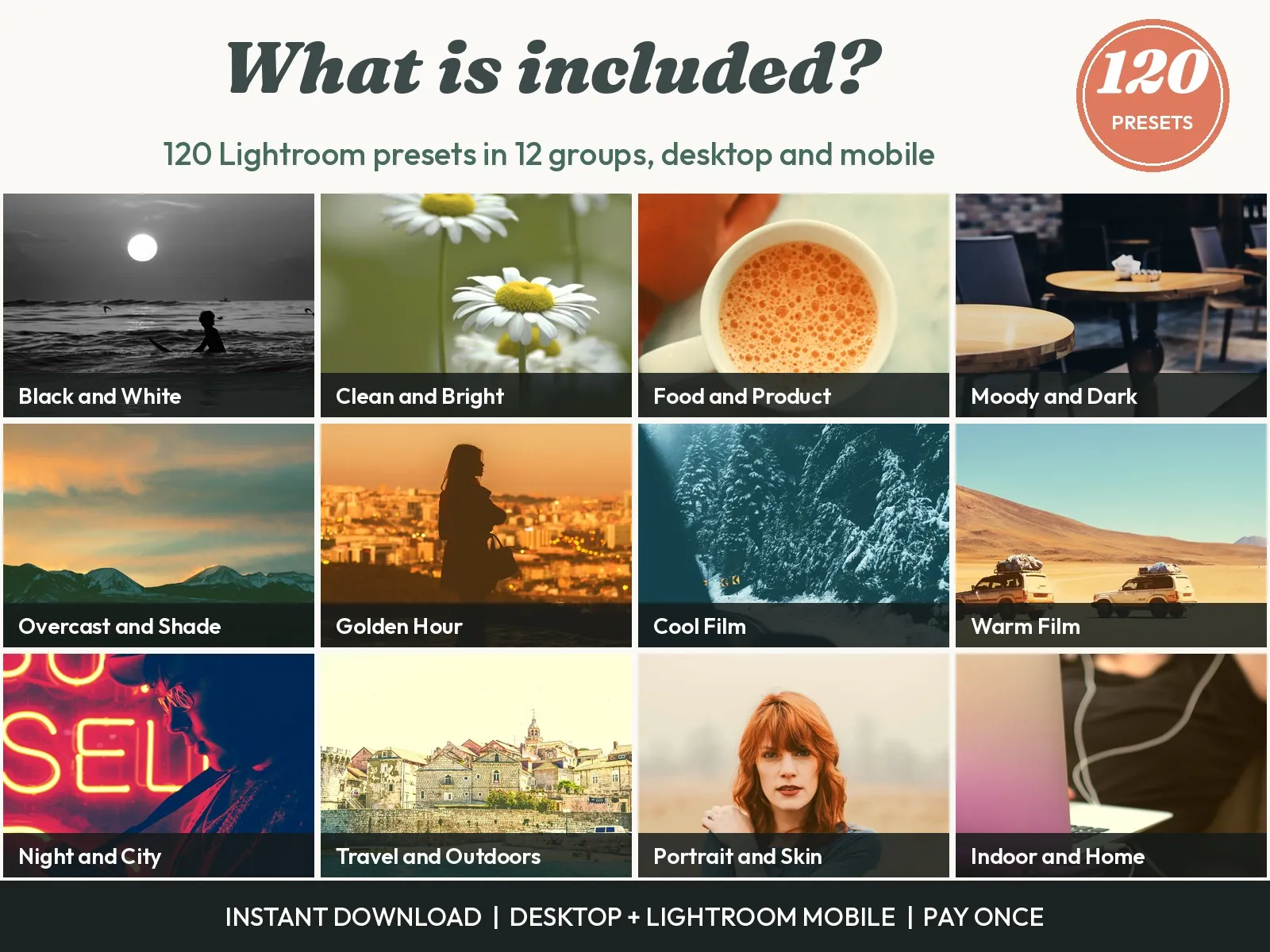
120 Presets in 12 Groups
Golden Hour, Overcast and Shade, Indoor and Home, Portrait and Skin, Warm Film, Cool Film, Clean and Bright, Moody and Dark, Black and White, Travel and Outdoors, Food and Product, Night and City.
Desktop .xmp and Mobile .dng Files
Every preset comes twice: .xmp for Lightroom Classic and Lightroom desktop, and .dng for the Lightroom Mobile app on iPhone and Android.
Start Here Set + 3 Step-by-Step Guides
The Start Here set holds the 12 best all-rounders. The Mobile Install Guide, Desktop Install Guide and 2-Slider Fix Guide come as PDFs with screenshots.
Also Included
Everything in Ultimate Lightroom Presets
12 groups of 10 presets, each for one kind of light or subject. Find your situation, tap a preset, and the look is done.

 BeforeAfter
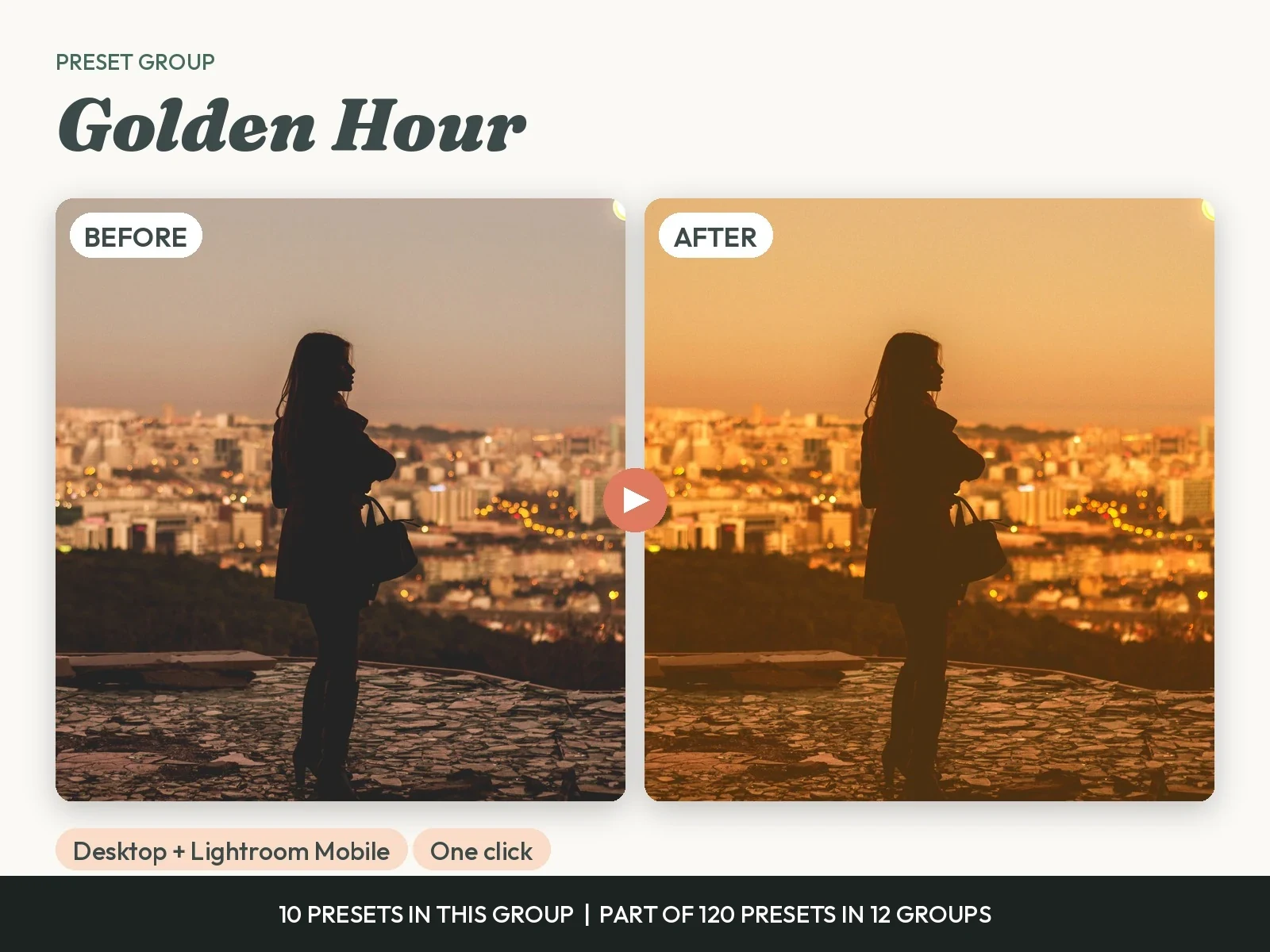
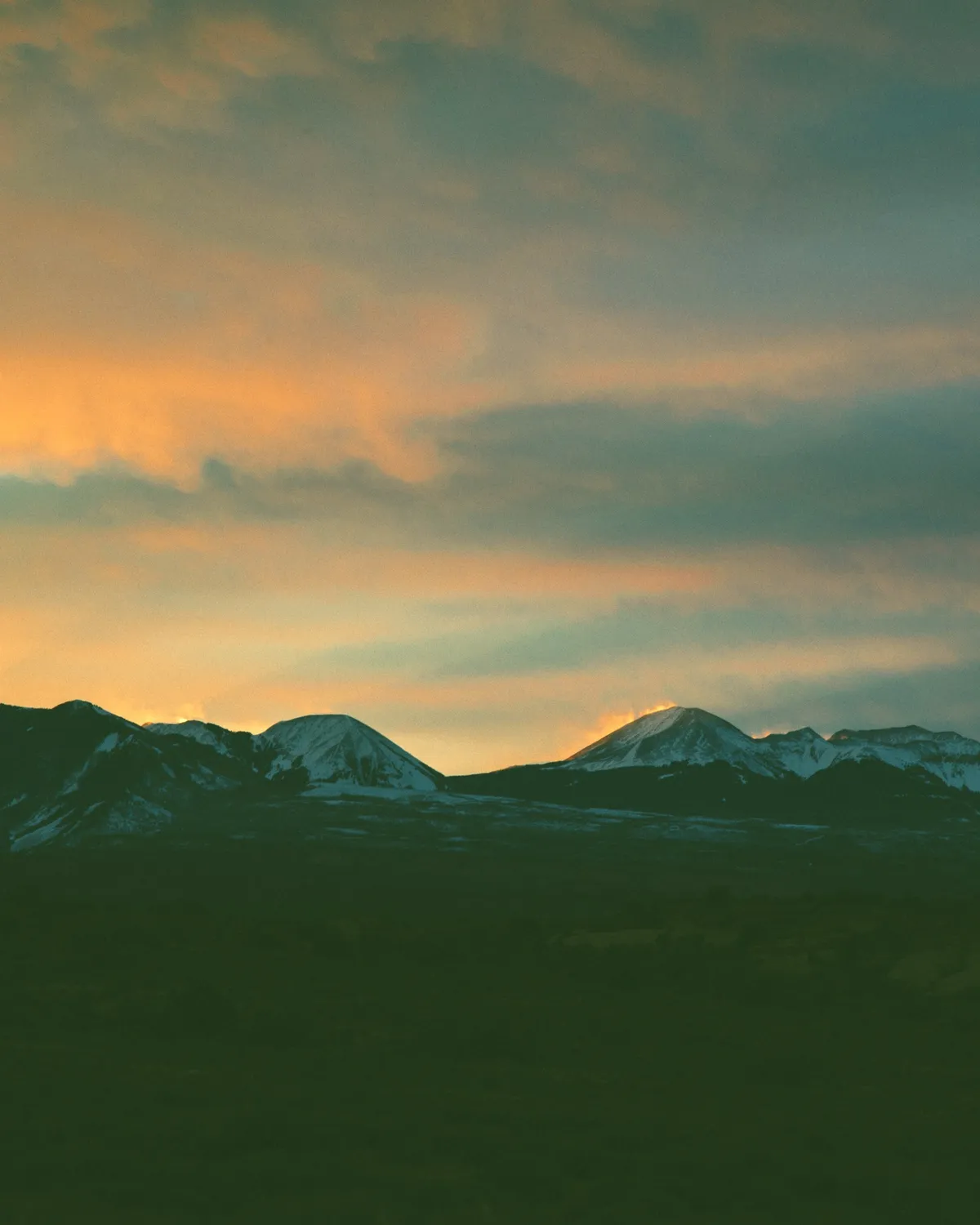
Golden Hour
For photos at sunrise and sunset. Use it when the light is low and warm. It keeps skin soft and lifts the glow in the sky without orange casts.
 BeforeAfter
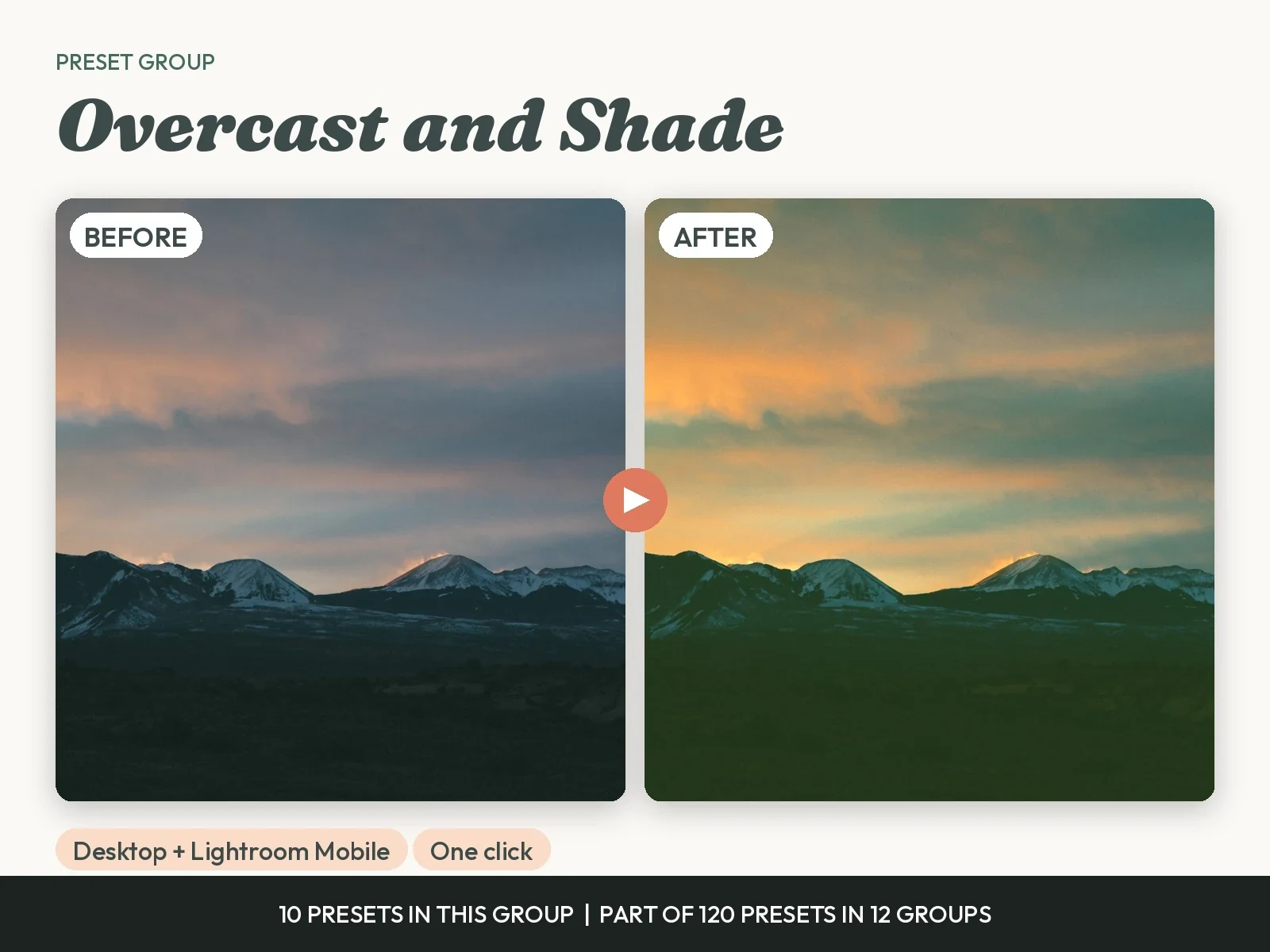
Overcast and Shade
For grey days and open shade. Use it when the photo looks flat. It adds warmth and depth so a cloudy photo looks like a good day.

 BeforeAfter
Indoor and Home
For photos inside, near a window or under lamps. Use it when yellow bulbs or dim rooms spoil the colour. It balances the light and keeps whites clean.

 BeforeAfter
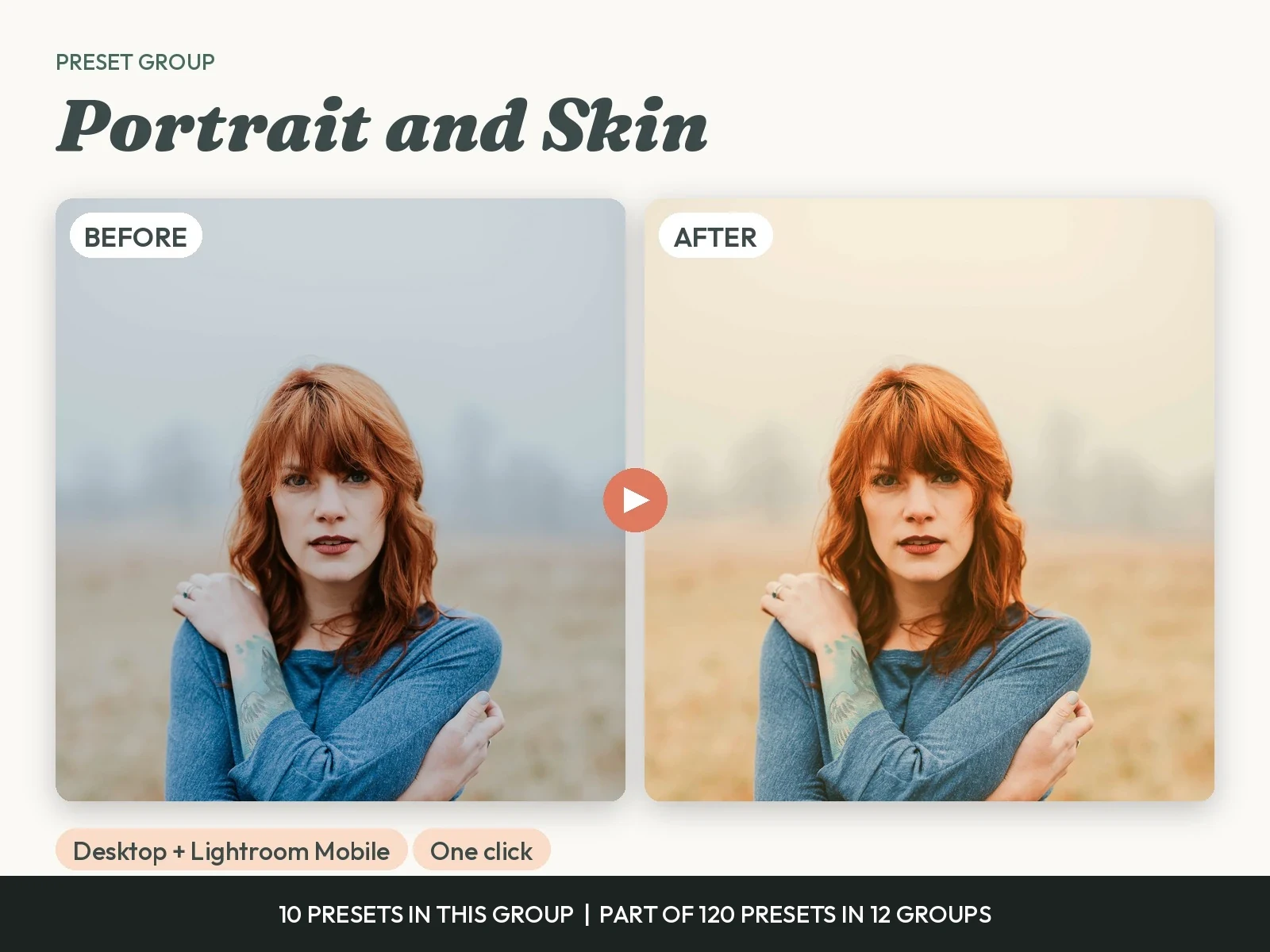
Portrait and Skin
For people. Use it for selfies, family photos and portraits. It keeps skin natural and even, and puts the focus on the face.
 BeforeAfter
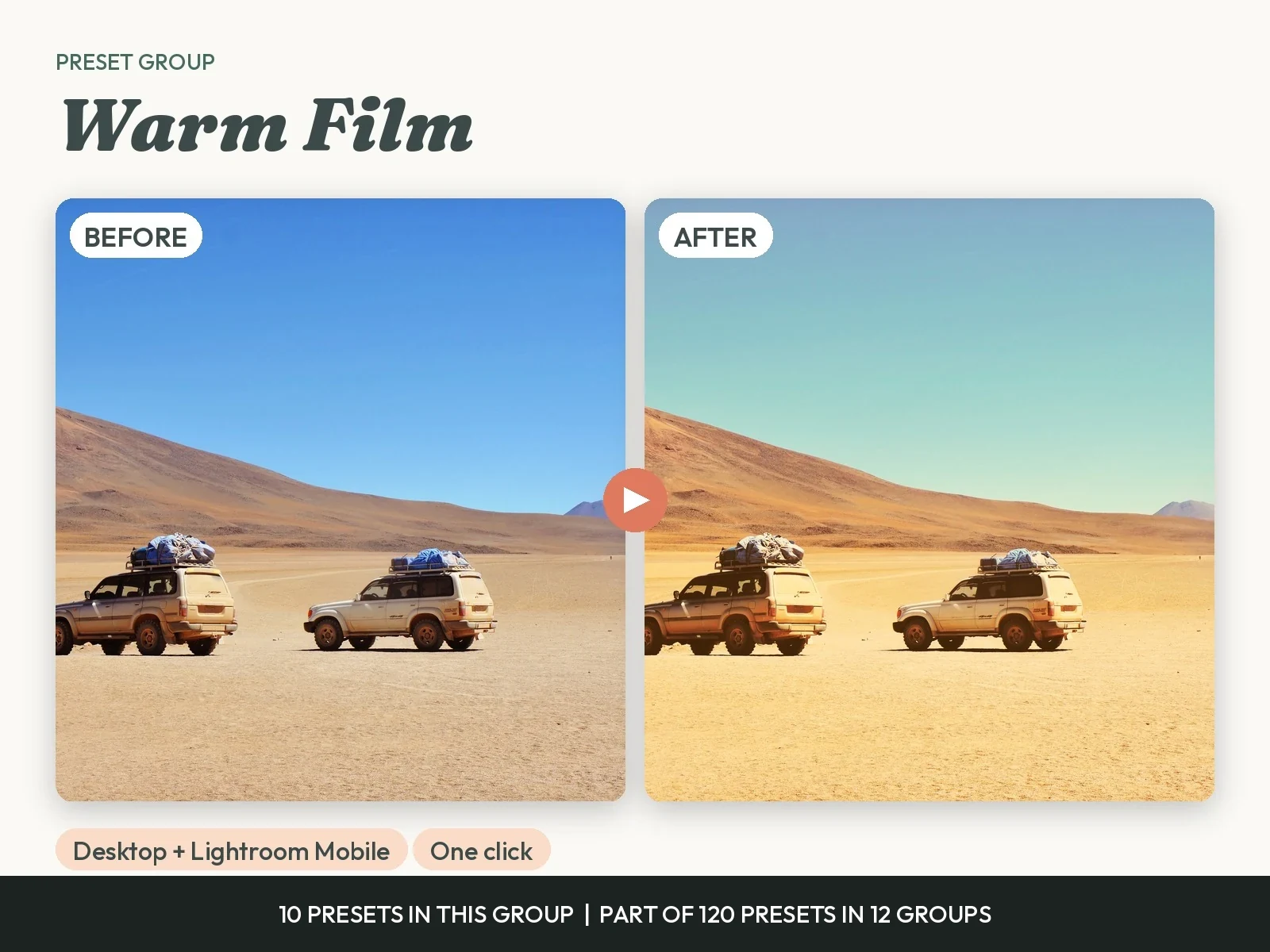
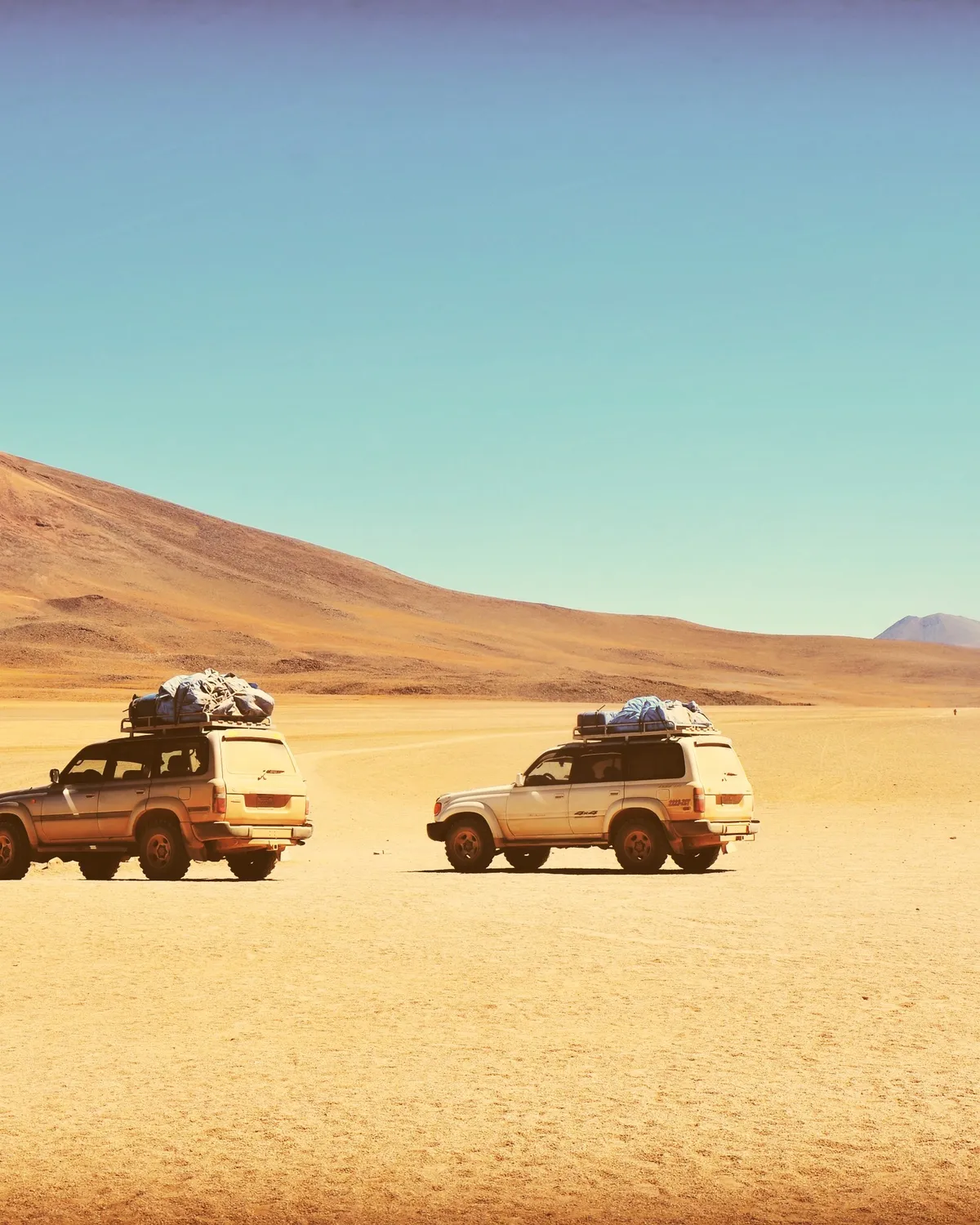
Warm Film
For a classic film feel. Use it when you want warm, faded colour and soft grain. It suits travel, family and everyday photos.

 BeforeAfter
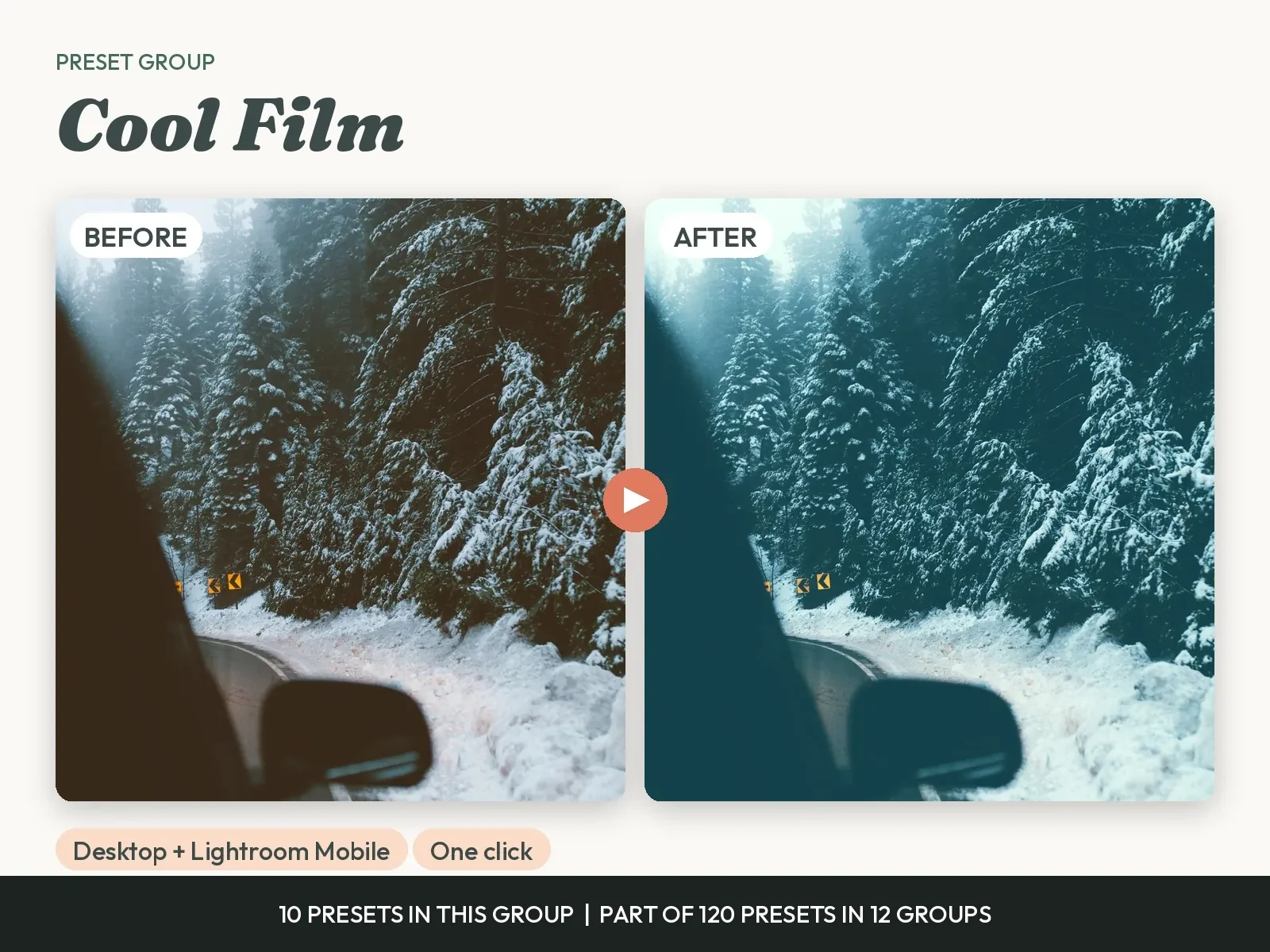
Cool Film
For a calm film feel. Use it for city, sea and street photos. It gives teal shadows, soft greens and a clean, cool finish.

 BeforeAfter
Clean and Bright
For a light, airy look. Use it for lifestyle, flat lays and white rooms. It brightens the photo and keeps the colour true.
 BeforeAfter
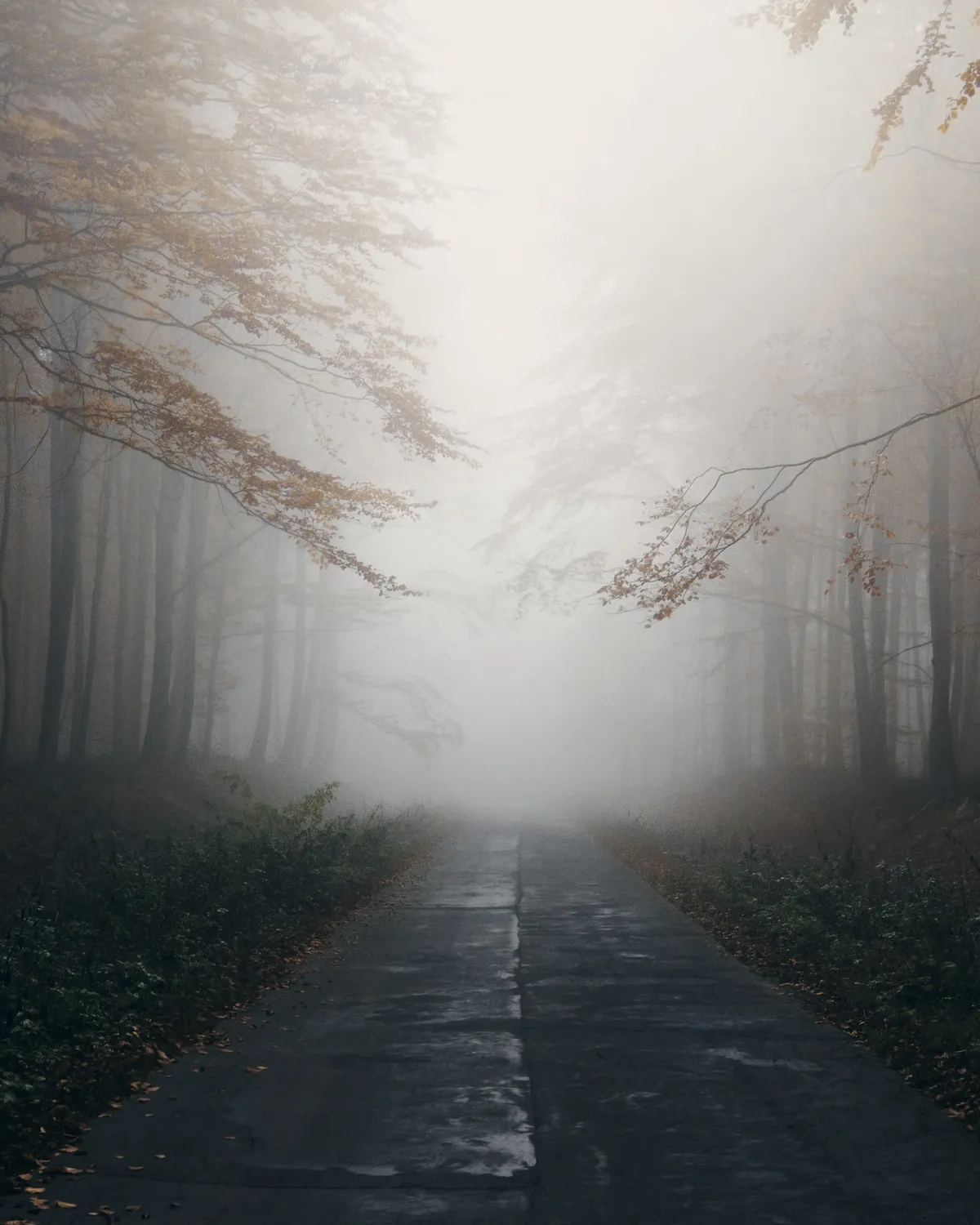
Moody and Dark
For drama. Use it for rainy days, forests and evening scenes. It deepens shadows and mutes colour for a rich, dark feel.
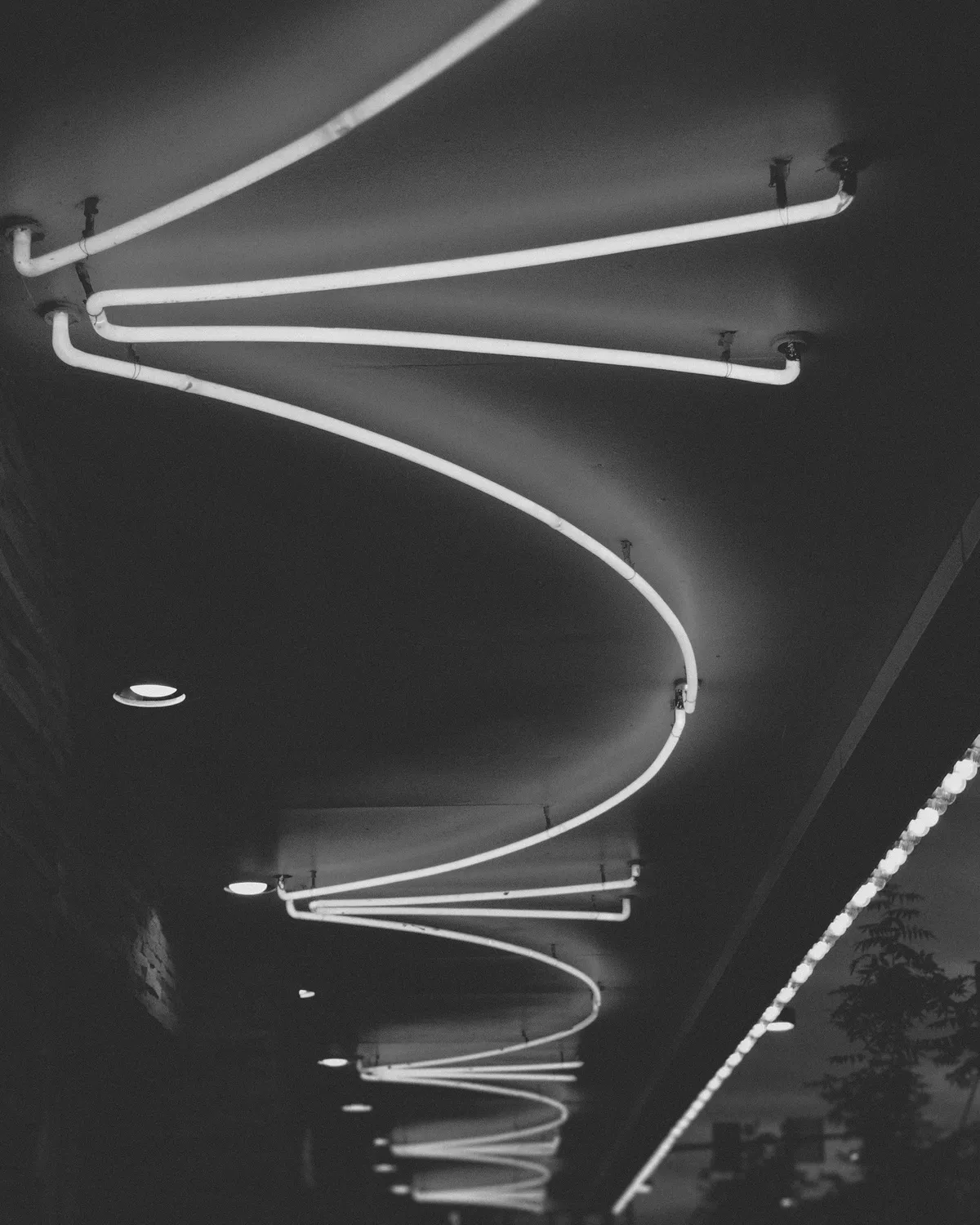
 BeforeAfter
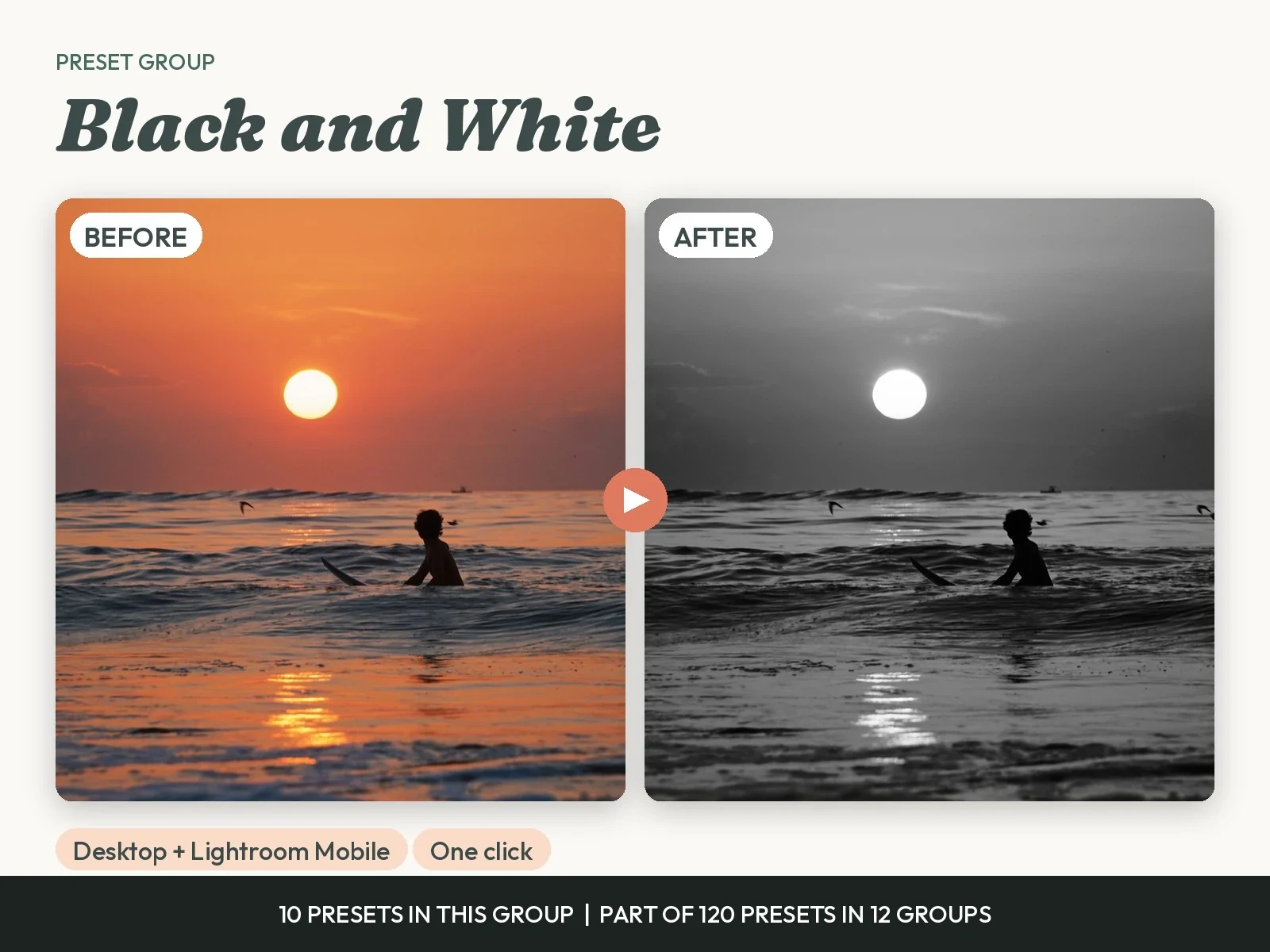
Black and White
For timeless photos. Use it for portraits, streets and strong shapes. You get soft, high-contrast and film-grain styles.

 BeforeAfter
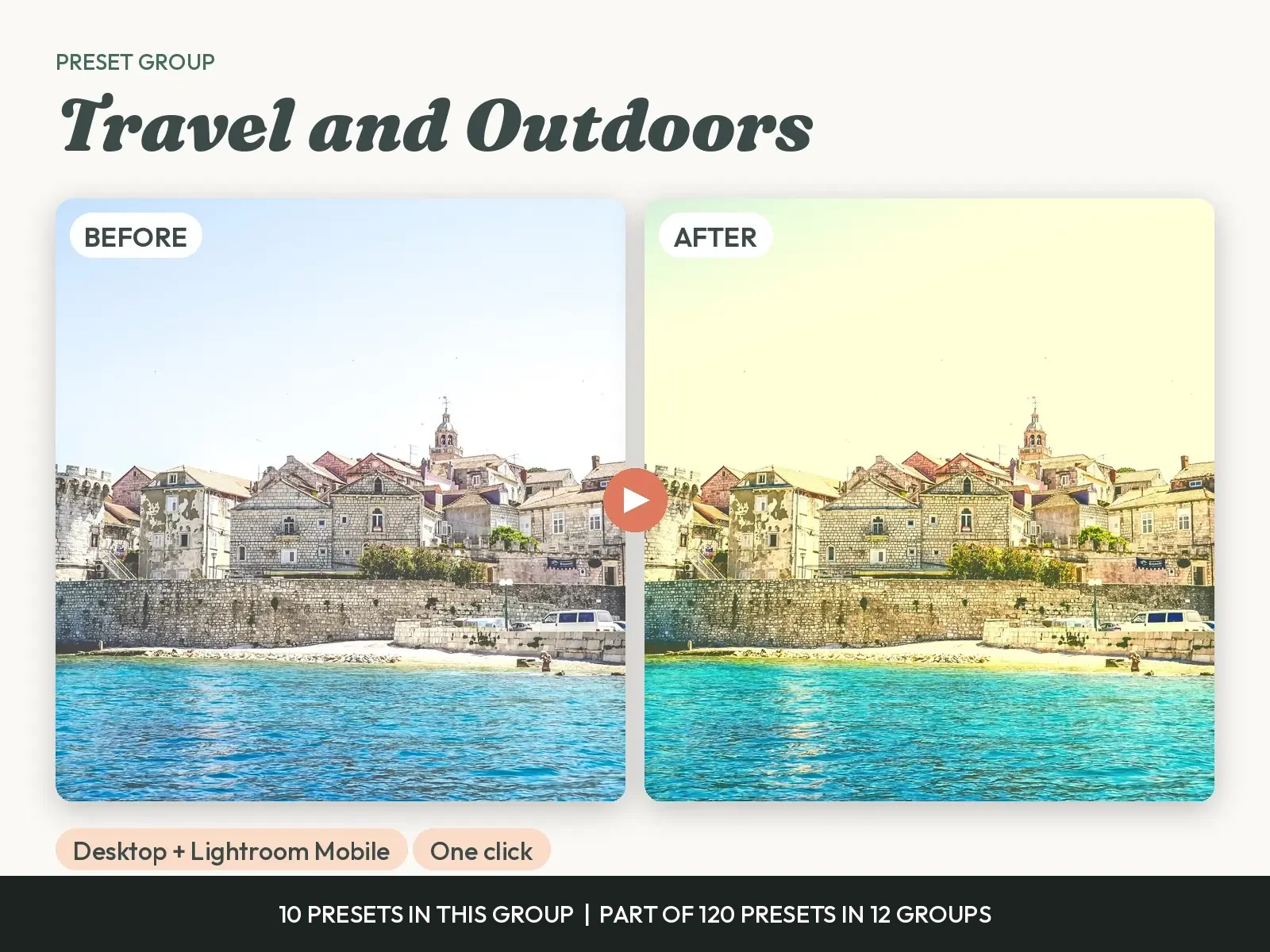
Travel and Outdoors
For trips, beaches and mountains. Use it when the view looked better than the photo. It brings back blue skies, sea colour and green hills.

 BeforeAfter
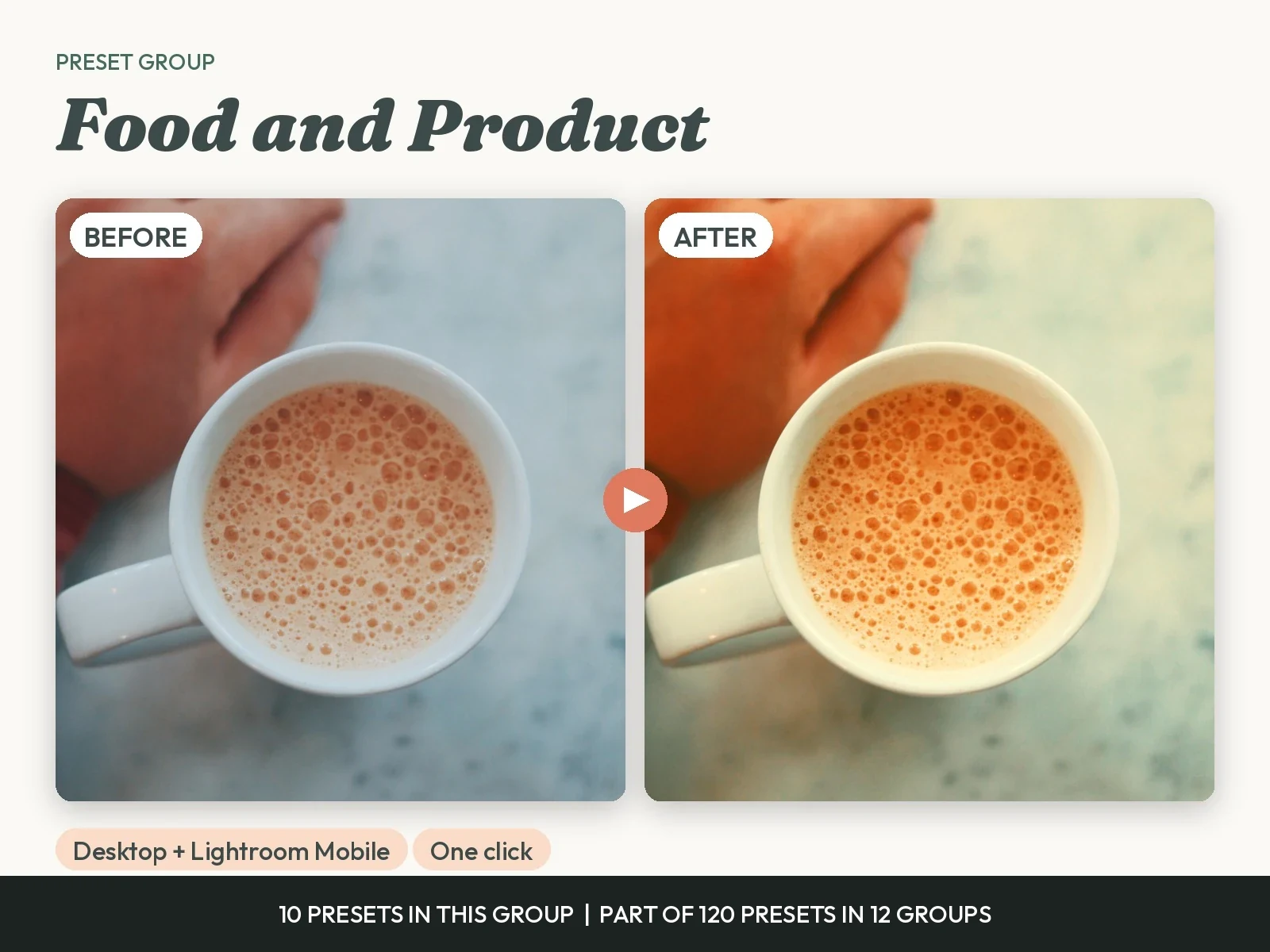
Food and Product
For plates, cafes and items you sell. Use it for menus, listings and shop posts. It makes colour fresh and keeps products true to life.

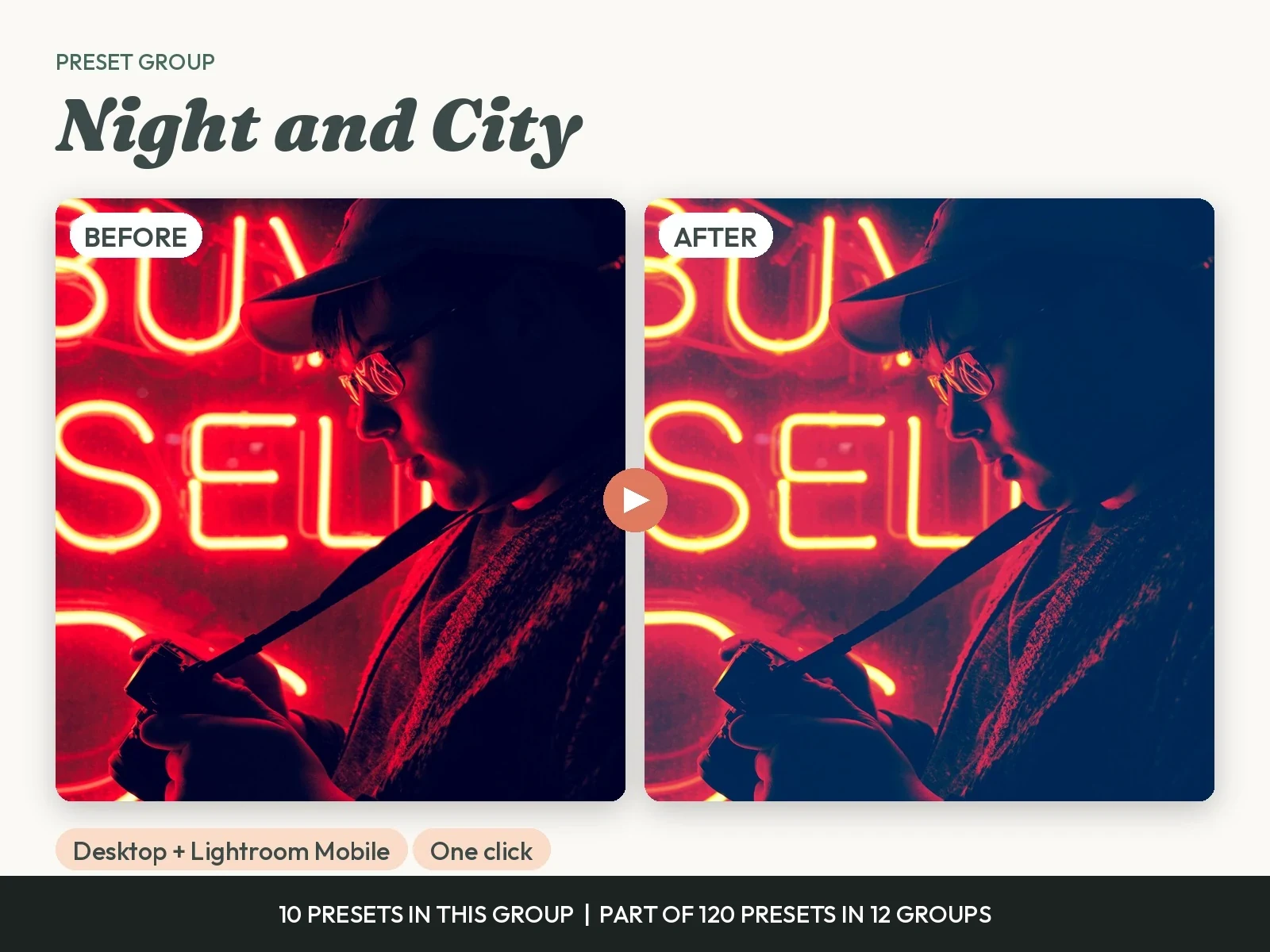
 BeforeAfter
Night and City
For lights after dark. Use it for streets, neon and city views. It controls noise, keeps lights clean and adds a cinematic tone.
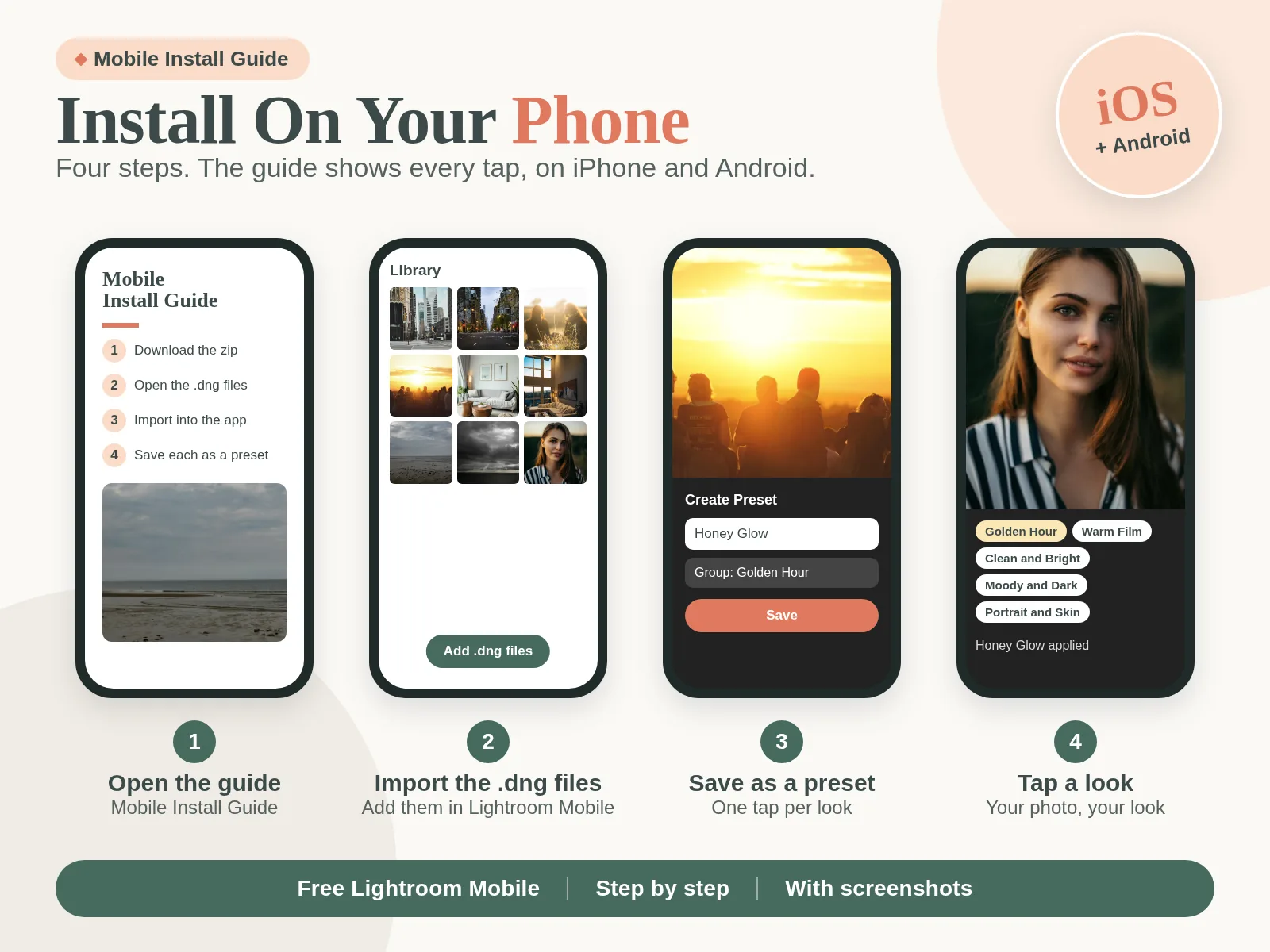
Install on Your Phone in Under 2 Minutes
The Mobile Install Guide shows each tap with screenshots, for iPhone and Android. Import the .dng files once, save them as presets, and apply any look with one tap.
What Our Customers Are Saying
More than 160,000 happy customers: real reviews from real customers


One Cohesive Look for Every Post
Applying one consistent preset across posts makes a feed look planned. Pick a group, use it on every photo for the week, and your grid or shop looks like it came from one person.
Yours to Keep, on Every Device
Desktop and mobile files in one download. Edit on your laptop or on your phone, and the look stays the same on both.
EDIT IN SECONDS
Find the group for your light, tap a preset, and the edit is done. Use the 2-Slider Fix Guide when a photo needs a little more.
PAY ONCE, KEEP THEM
One payment, no subscription, no locked looks. The files are yours to keep and use on every photo you take.
NO SKILLS NEEDED
Beginner friendly. Start with the Start Here set and follow the install guide. If you can tap a button, you can use these presets.
How It Works
Get started in minutes with instant digital access
Buy
Complete your secure checkout
Download
One zip file by email, right away
Import
Add .xmp on desktop or .dng on your phone, with the guide
One Click
Tap a preset and your photo has the look
Pay $9 Once. Keep Every Look.
Filter apps make you pay every month, and some looks stay locked even after you pay. Here, everything on this page comes in one download for one payment: 120 presets, desktop and mobile files, and 3 guides. No subscription. No paywalls.
- 120 Presets in 12 Groups, Sorted by Light
- Desktop .xmp for Lightroom Classic and Lightroom
- Mobile .dng for Lightroom Mobile, iPhone and Android
- Start Here Set: the 12 Best All-Rounders
- Mobile and Desktop Install Guides
- 2-Slider Fix Guide for Any Photo
Instant digital download • Lightroom desktop & mobile • One-time payment
This is a digital product with immediate access after purchase. No refunds on digital downloads.
Designed to Fit Your Needs
Save time on every edit, get a pro look, keep the files for good, and use them on your phone. Works on Mac, PC, iPhone and Android.
Frequently Asked Questions
Everything you need to know before you buy